Evident LogoOlympus Logo

cellSens FV AI Assist Tool Version 0.1.2

cellSens FV AI Assist Tool Version 0.1.2

This software installs the AI Assist Tool of Fluoview Smart (FV50S-U) which is an optional function of cellSens™ FV imaging software version 4.1.1.

Please take note of the following points when you install this optional software:

  1. When you install this software, cellSens FV version 4.1.1 or cellSens Desktop version 4.1.1 must be installed beforehand.

    To confirm the version of cellSens FV software, follow these steps:

    1) Launch the cellSens FV software.
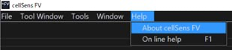
    2) Select “About cellSens FV” from the Help menu.
    Select About cellSens FV from the Help menu.

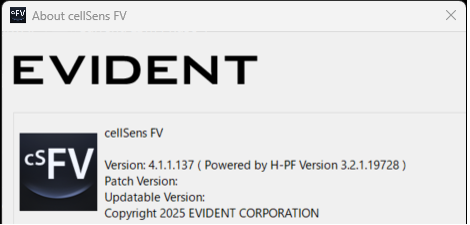
    3) Confirm your version in the “About cellSens FV” window.
    Confirm your version in the “About cellSens FV” window.

    Please confirm that the current version is version 4.1.1.137. If the version is different from this, this software is not applicable.
  2. Activation of the license of FV40S-AINR is required to use this software. Please activate the license before installing this software. To do so, follow the procedure in the “cellSens FV Procedure for License Activation” document. If you are updating this software from previous versions, activation is unnecessary.

Installation Procedure

1) Close all software applications.

2) Decompress the downloaded zip file. Save the decompressed file in the appropriate location (desktop, etc.) on the PC.

3) You can find the “How_to_install_TruAINoiseReduction_EN.pdf” document in the decompressed folder. The installation procedure is described in this document. Please install this software by referring to this document.

LanguageFile SizeDownload
  Download

Sorry, this page is not
available in your country.

Sorry, this page is not available in your country