

Not Available in Your Country
Sorry, this page is not
available in your country.
Overview
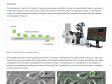
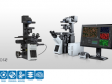
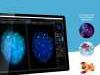
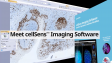
 | Operación intuitiva y proceso de trabajo sin obstáculosLa plataforma cellSens de Olympus proporciona un completo control de la pantalla y de la ubicación de los íconos, barras de herramientas y comandos. Esto permite que el software se estructure y adapte según sus necesidades de investigación en constante evolución. |
|---|
Paquetes cellSens |
cellSens EntrycellSens Entry es el trampolín ideal para los investigadores que quieran adentrarse en la adquisición y documentación de imágenes digitales, ya que proporciona todas las herramientas necesarias para la adquisición sencilla de imágenes. |
*cellSens Entry no está disponible en algunas regiones. |
cellSens StandardLa versión del software Olympus cellSens Standard está modelada en función del paquete cellSens Entry, llevando la adquisición más allá de una sola imagen, con procesos avanzados de captura de imágenes (como intervalos) y control de componentes de microscopios motorizados y codificados. |
|
cellSens DimensionEl miembro más versátil de la familia cellSens de Olympus es el cellSens Dimension, con una adquisición de imágenes completamente automática, potentes herramientas de análisis y mucho más. |
|
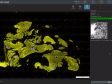
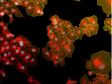
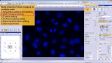
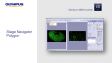
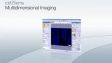
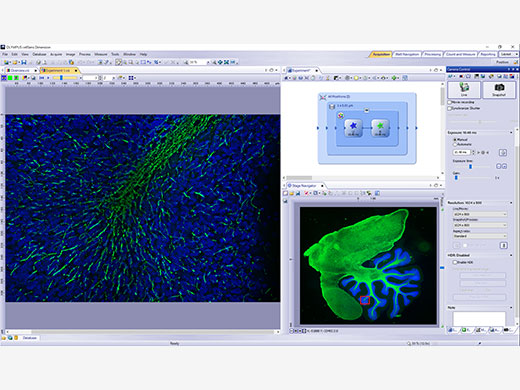 | Adquisición experimental 5DPermite adquirir imágenes en cinco dimensiones empleando herramientas, como el Graphic Experiment Manager (GEM) y el Well Navigator para ayudar a visualizar la adquisición de sus datos de forma sencilla. |
|---|
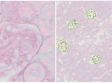
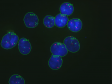
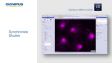
Procesamiento e intercambio de imágenesRevele datos fiables de sus imágenes gracias a la técnica de procesamiento de imagen TruSight deconvolution y otras más. Comparta con facilidad sus resultados con otras personas al usar el parámetro Conference Mode, o arrastre y coloque sus datos en informes preconfigurados. |
|
|---|

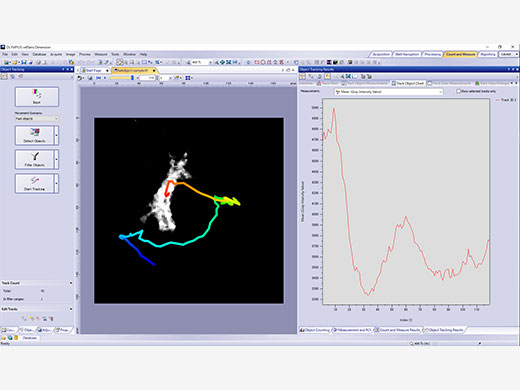
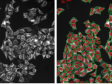
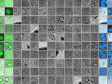
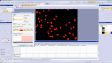
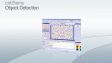
| Potentes herramientas de análisisTrabaje de forma dinámica con sus imágenes para adquirir todos los datos posibles que le ayudarán a obtener resultados experimentales fiables. La tecnología de aprendizaje profundo del software (TruAI) ofrece un análisis de segmentación mejorado. Use la función Macro Manager para automatizar los flujos completos de trabajo a lo largo de todo el análisis y almacenamiento de sus imágenes. |
|---|
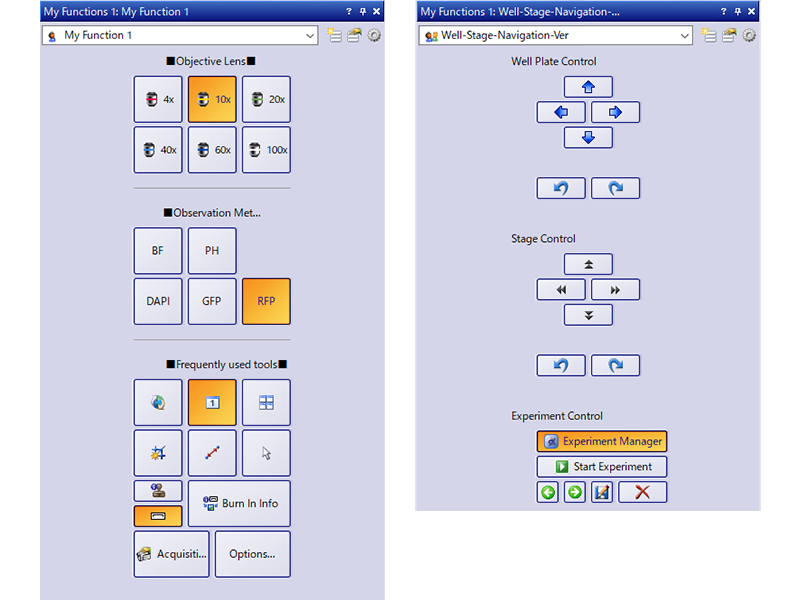
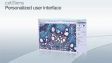
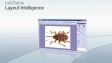
Interfaz del usuario personalizableSeleccione un diseño de pantalla recomendado para la adquisición y análisis de sus imágenes o cree su propio diseño usando el conjunto de herramientas My Functions. |
|
|---|
¿Necesita ayuda? |
El software cellSens no está diseñado para fines de diagnóstico clínico. |
Specifications
cellSens Functions and Optional Solutions |
| Dimension | Standard | Entry | |||
|---|---|---|---|---|---|
| Layout | User experience customization | ✓ | ✓ | ✓ | |
| View | Overlay multiple images | ✓ | ✓ | - | |
| Document groups for side-by-side image comparison | ✓ | ✓ | ✓ | ||
| Movie playback | ✓ | ✓ | ✓ | ||
| Tile view (multiple images in a single data set shown side-by-side) | ✓ | ✓ | ✓ | ||
| Slice view for orthogonal plane viewing of 3D or time-lapse data sets | ✓ | - | - | ||
| Voxel viewer for isosurface and volumetric rendering of 3D and 4D data sets | ✓ | - | - | ||
| Image Acquisition | Snap/movie acquisition | ✓ | ✓ | ✓ | |
| Time-lapse at specified interval | ✓ | ✓ | - | ||
| Automated multiwavelength | ✓ | ✓ | - | ||
| Z-stack | ✓ | - | - | ||
| Multidimensional (XYZT and wavelength) | ✓ | - | - | ||
| Graphical Experiment Manager | ✓ | - | - | ||
| Manual panoramic imaging (Instant MIA and Manual MIA) | ✓ | Manual Process | Manual Process | ||
| Multiposition visitation and stage navigator | Multiposition | Multiposition | - | ||
| Automated panoramic imaging (auto MIA, requires motorized stage) | Multiposition | Multiposition | - | ||
| Instantly create EFI image (manual or motorized Z) | ✓ | Manual Process | Manual Process | ||
| Simultaneous multicolor Imaging (requires two identical cameras** or image splitter) | ✓ | - | - | ||
| Live deblurring | ✓ | - | - | ||
| High dynamic range imaging (HDRI) | ✓ | - | - | ||
| Automated correction collar (ACC) | ✓ | ✓ | - | ||
| Multiwell plate acquisition | Well plate navigator and Multiposition | - | - | ||
| Image Processing | Geometry/combine/filter processing | ✓ | ✓ | - | |
| Fluorescence unmixing | ✓ | - | - | ||
| Brightfield unmixing | Count & Measure | - | - | ||
| Deblurring (No/Nearest Neighbor, Wiener Filter) | ✓ | - | - | ||
| Kymograph | ✓ | - | - | ||
| 2D deconvolution | ✓ | - | - | ||
| 3D deconvolution (constrained iterative deconvolution with GPU process) | CI Deconvolution | - | - | ||
| Image Analysis | Phase analysis | ✓ | - | - | |
| Object measurements and classification | Count & Measure | Count & Measure | - | ||
| Interactive 2D measurements | ✓ | ✓ | ✓* | ||
| Intensity plot over time/z | ✓ | - | - | ||
| Colocalization | ✓ | - | - | ||
| Object counting (manual) | ✓ | ✓ | - | ||
| Object tracking | Tracking and Count & Measure | - | - | ||
| Online ratio and kinetics | Ratio/FRET | - | - | ||
| Ratio analysis (offline) | ✓ | - | - | ||
| FRET analysis | Ratio/FRET or Life Science Analysis | - | - | ||
| FRAP analysis | Photo Manipulation or Life Science Analysis | - | - | ||
| Cell count and confluency measurements | ✓ | Confluency Checker | - | ||
| Deep Learning (TruAI) | Training of neural networks | Deep Learning (TruAI) | Deep Learning (TruAI) | - | |
| Inference using trained neural networks (offline/online) | Deep Learning (TruAI) or Count & Measure | Deep Learning (TruAI) or Count & Measure | - | ||
| Documentation and Collaboration | Automatically compose MS Word reports | ✓ | - | - | |
| Database image and data management solution for microscopy | Database Core | Database Core | - | ||
| Open database and load records/documents from database | Database Client | Database Client | Database Client | ||
| Remoting | Remote live image viewing | NetCam | NetCam | - | |
| * Three-point angle, four-point angle, arbitrary line, closed polygon, polyline, and perpendicular line only. Interactive 2D measurements option is needed to add other measurement tools and make exporting Excel spreadsheets possible.
** Supported cameras: iXon Ultra 897, Zyla 5.5 (USB 3.0), Zyla 4.2 (USB 3.0/CamLink), Neo, iXon Ultra 888, ImagEM X2, ORCA-Flash 4.0 (V2/V3), Prime 95B, Prime BSI, Prime BSI Express, Sona4.2B-11, ORCA Fusion, ORCS-Fusion BT, ORCA-QUEST. |
| Dimension | Standard | |||
|---|---|---|---|---|
| Layout | User experience customization | ✓ | ✓ | |
| Microscope Control | Microscope Control | ✓ | ✓ | |
| View | Slice view for orthogonal plane viewing of 3D or time-lapse data sets | ✓ | - | |
| Voxel viewer for isosurface and volumetric rendering of 3D and 4D data sets | ✓ | - | ||
| Image Acquisition | Automated multiwavelength | ✓ | ✓ | |
| Z-stack | ✓ | - | ||
| Multidimensional (XYZT and wavelength) | ✓ | - | ||
| Instantly create EFI image (manual or motorized Z) | ✓ | Manual Process | ||
| Automated panoramic imaging (auto MIA, requires motorized stage) | Multiposition | Multiposition | ||
| Manual panoramic imaging (Instant MIA and Manual MIA) | ✓ | Manual Process | ||
| Simultaneous multicolor imaging (requires two identical cameras or image splitter)*1 | ✓ | - | ||
| Live deblurring | ✓ | - | ||
| High dynamic range imaging (HDR) | ✓ | - | ||
| Automated correction collar (ACC) | ✓ | ✓ | ||
| Multiwell plate acquisition | Well Plate Navigator and Multiposition | - | ||
| Image Processing | MIA | ✓ | ✓ | |
| Geometry/combine/filter processing | ✓ | ✓ | ||
| Morphological filter | Count & Measure | Count & Measure | ||
| Fluorescence unmixing | ✓ | - | ||
| Brightfield unmixing | Count & Measure | - | ||
| Kymograph | ✓ | - | ||
| 2D deconvolution | ✓ | - | ||
| 3D deconvolution (constrained iterative deconvolution) | CI Deconvolution | - | ||
| Image Analysis | Interactive 2D measurements | ✓ | ✓ | |
| Object counting (manual) | ✓ | ✓ | ||
| Colocalization | ✓ | - | ||
| Object measurements and classification | Count & Measure | Count & Measure | ||
| Object tracking | Tracking and Count & Measure | - | ||
| Online ratio and kinetics | Ratio/FRET | - | ||
| Ratio analys (offline) | ✓ | - | ||
| FRET analysis | Ratio/FRET or Life Science Analysis | - | ||
| FRAP analysis | Life Science Analysis | - | ||
| Cell count and confluency measurements | ✓ | Confluency Checker | ||
| Deep Learning (TruAI) | Training of neural networks | Deep Learning (TruAI) | Deep Learning (TruAI) | |
| Inference using trained neural networks (offline/online) | Deep Learning (TruAI) or Count & Measure | Deep Learning (TruAI) or Count & Measure | ||
| Report | Report function (Microsoft Word is needed) | ✓ | - | |
| Documentation and Collaboration | Database image and data management solution for microscopy | Database Core | Database Core | |
| Open database and load records/documents from database | Database Client | Database Client | ||
* Supported cameras: iXon ultra 897, Zyla 5.5 (USB 3.0), Zyla 4.2 (USB 3.0/CamLink), Neo, iXon Ultra 888, ImagEM X2, ORCA-Flash 4.0 (V3), Prime 95B, Prime BSI, Prime BSI Express, Sona4.2B-11, ORCA-Fusion, ORCA-Fusion BT, ORCA-QUEST. |
cellSens Solutions■ Included □ Optional |
| Dimension | Standard | Entry | |||
|---|---|---|---|---|---|
| Manual Process | Easily create high-resolution composite images (Instant MIA) by simply moving the manual stage. You can also acquire a focused image (EFI) over the entire surface by manually shifting the Z direction. | ■ | □ | □ | |
| Encoded Device | Encoded devices (objectives, light intensity, etc.) make it easy to recall settings. | ■ | ■ | □ | |
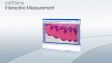
| Interactive Measurement | Draw a polyline, rectangle, or circle on top of your image to obtain exportable measurement data. Measurement results can be exported to Excel. | ■ | ■ | □ | |
| Database Client | Access to the database created with the Database Core option. | □ | □ | □ | |
| Database Core | Make data management and browsing more efficient by creating a database that can easily search and sort acquired images based on data, such as imaging conditions and acquisition date. | □ | □ | ||
| Confluency Checker | Determine the confluency of unstained live cells in culture dishes through quantitative measurements for reliable data. | ■ | □ | ||
| Multiposition | Multipoint and stitched images can be acquired using the motorized stage. When combined with the motorized Z, a focus map can be created from multiple points of focus, and you can obtain stitched images with little focus deviation by removing sample tilt and distortion. | □ | □ | ||
| Count & Measure | Define the morphology of an object, and the software will identify all similar objects and present segmentation analysis results in a chart. | □ | □ | ||
| NetCam | Facilitates the transfer of live and stored images through a network for teaching, mentoring, or supervision. | □ | □ | ||
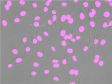
| Deep Learning | Efficient segmentation analysis powered by deep learning enables challenging target detection, such as label-free nucleus detection. | □ | □ | ||
| Well Plate Navigator*1 | Easily set the capture settings for each well. The well position and name can be tagged to images, making data management easier and well plate screening more efficient. | □ | |||
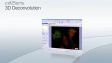
| CI Deconvolution | Access to GPU-based deconvolution as well as popular and custom TruSight deconvolution algorithms to improve the sharpness, contrast, and dynamic range of reconstructed images. | □ | |||
| Ratio/FRET | Obtain ratio measurements from your images as they are being acquired. | □ | |||
| Tracking*2 | Measure and analyze the luminance and speed of individual cells that move and divide over time. | □ | |||
| Life Science Analysis | FRAP/FRET analysis can be performed on the acquired image. | □ | |||
| Photo Manipulation | Enables cell frap module control and FRAP analysis. | □ | |||
| Laser Control | Enables NI USB-6343 BNC to control external devices. | □ | |||
| Automated Correction Collar (ACC) | Operating automated correction collar. | □ | □ | ||
Super Resolution for cellSens*3 | Renewed super resolution (online and offline) | □ | |||
| *1 Requires Multiposition option
*2 Requires Count Measure option *3 Also for Desktop |
Products with Confirmed Functionality |
| Dimension | Standard | Entry | |||
|---|---|---|---|---|---|
| Olympus | Camera | DP23, DP23M, DP28, DP74, DP75, DP80, XM10, UC90, LC20, LC30, LC35, SC50, SC180 | ✓ | ✓ | ✓ |
| Micoscope | BX43, BX53, BX63, BX61, BX61WI, IX83, IX85, IX73, IX81, SZX16A | ✓ | ✓ | - | |
| IX81-ZDC, IX81-ZDC2 | ✓ | - | - | ||
| Peripherals | BX-DSU, IX3-DSU, IX3-ZDC, IX3-ZDC2, IX2-DSU, U-CBF, cellTIRF (multiline, single line), USB-ODB converter, Real Time Controller (U-RTCE, U-XRTC), IX5-ZDC | ✓ | - | - | |
| Light Source | U-LGPS | ✓ | ✓ | - | |
| Hamamatsu | Camera | ImagEMX2, ORCA-Flash 4.0 V3, ORCA-Flash 4.0 LT PLUS, ORCA-Flash 4.0 LT3, ORCA-Fusion, ORCA-Fusion BT, ORCA-QUEST | ✓ | - | - |
| ORCA-spark | ✓ | ✓ | - | ||
| Image Splitter | W-View Gemini | ✓ | - | - | |
| Q-Imaging | Camera | Retiga 6000 | ✓ | - | - |
| Photometrics | Camera | Prime (PCI-Express), Prime 95B, Prime BSI, Prime BSI Express, Moment | ✓ | - | - |
| Image Splitter | Dual View DV2 / QuadView QV2 | ✓ | - | - | |
| Andor | Camera | iXon Ultra 897, iXon Ultra 888, iXon Life 888, iXon Life 897, Sona4.2B-11,Zyla4.2/Zyla4.2 PLUS (Camera-link,USB3.0), Zyla5.5 (Camera-link 10tap,USB3.0), ZL41 Cell 4.2 (Camera-link,USB3.0), Neo5.5 | ✓ | - | - |
| Vincent Associates | Shutter | Uniblitz shutter (VCM-D1, VMM-D1, VMM-D3) | ✓ | ✓ | - |
| CoolLED | Light Source | pE-1, pE-2, pE800, pE-4000 | ✓ | - | - |
| pE-300white, pE-300ultra, pE-340fura | ✓ | ✓ | - | ||
| Excelitas | Light Source | X-Cite120LED, X-Cite XYLIS, X-Cite TURBO | ✓ | - | - |
| Lumencor | Light Source | SOLA SEII, SEII 365, Spectra X | ✓ | - | - |
| Sutter | Shutter, FW | Lambda 10-3/10-B | ✓ | - | - |
| Prior | Motorized XY Stage | ProScan III, Optiscan III | Multiposition | - | - |
| Shutter, FW, Z-drive | ProScan (I, II, III) , Optiscan III | ✓ | - | - | |
| Piezo Z (Control via Real Time Controller) | NanoScanZ NZ100 | ✓ | - | - | |
| Ludl | Motorized XY Stage | Mac 6000 | Multiposition | - | - |
| Shutter, FW, Z-drive | Mac 6000 | ✓ | - | - | |
| Märzhäuser | Motorized XY Stage | Tango, Pilot Stage | Multiposition | - | - |
Z-drive Controller | Tango | ✓ | - | - | |
| Physik Instrumente | Piezo Z (Control via Real Time Controller) | PIFOC P-721 | ✓ | - | - |
| Applied Scientific Instrumetation | Motorized XY Stage | MS-2000 | Multiposition | - | - |
| Z-drive Controller | MS-2000 | ✓ | - | - | |
| National Instruments | Digital TTL Device | NI USB-6501 | ✓ | - | - |
| NI USB-6343 BNC | Laser Control | - | - | ||
| Yokogawa | CSU | CSU-X1, CSU-W1 | ✓ | - | - |
| For details on Windows OS compatibility, please contact your Evident sales representative. |
| Dimension | Standard | |||
|---|---|---|---|---|
| Olympus | Camera | DP22, DP23, DP23M, DP27, DP28, DP74, DP75, DP80, XM10, UC90, LC20, LC30, LC35, SC50, SC180 | ✓ | ✓ |
| Micoscope | BX43, BX53, BX63, BX61, BX61WI, IX83, IX85, IX73, IX81, SZX16A | ✓ | ✓ | |
| IX81-ZDC, IX81-ZDC2 | ✓ | - | ||
| Peripherals | BX-DSU, IX3-DSU, IX3-ZDC, IX3-ZDC2, IX2-DSU, IX2-ZDC, IX2ZDC2, U-CBF, cellTIRF (multiline, single line), USB-ODB converter, Real Time Controller (U-RTCE) | ✓ | - | |
| Light Source | U-LGPS | ✓ | ✓ | |
| Hamamatsu | Camera | ImagEMX2, ORCA-Flash 4.0 V3, ORCA-Flash 4.0 LT PLUS, ORCA-Flash 4.0 LT3, ORCA-Fusion, ORCA-Fusion BT, ORCA-QUEST, ORCA-Halo* | ✓ | - |
| ORCA-spark | ✓ | ✓ | ||
| Image Splitter | W-View Gemini | ✓ | - | |
| Q-Imaging | Camera | Retiga 6000 | ✓ | - |
| Photometrics | Camera | Prime (PCI-Express), Prime 95B, Prime BSI, Prime BSI Express, Moment, Kinetix, Kinetix22 | ✓ | - |
| Image Splitter | Dual View DV2 /QuadView QV2 | ✓ | - | |
| Andor | Camera | iXon Ultra 897, iXon Ultra 888, iXon Life 888, iXon Life 897, Sona4.2B-11, Zyla4.2/Zyla4.2 PLUS (Camera-link,USB3.0), Zyla5.5 (Camera-link 10tap,USB3.0), ZL41 Cell 4.2 (Camera-link,USB3.0), Neo5.5 | ✓ | - |
| Vincent Associates | Shutter | Uniblitz shutter (VCM-D1, VMM-D1, VMM-D3) | ✓ | ✓ |
| Ludl | Motorized XY Stage | Mac 6000 | Multiposition | - |
| Shutter, FW, Z-drive | Mac 6000 | ✓ | - | |
| Prior | Motorized XY Stage | ProScan III, Optiscan III | Multiposition | - |
| CoolLED | Light Source | pE-1, pE-2, pE800, pE-4000, pE-400 max | ✓ | - |
| pE-300white, pE-300ultra, pE-340fura | ✓ | ✓ | ||
| Excelitas | Light Source | X-Cite120LED, X-Cite XYLIS, X-Cite TURBO, X-Cite NOVEM | ✓ | - |
| Lumencor | Light Source | SOLA SEII, SEII 365, Spectra X | ✓ | - |
| Sutter | Shutter, FW | Lambda 10-3/10-B | ✓ | - |
| National Instruments | Digital TTL Device | NI USB-6501 | ✓ | - |
| NI USB-6343 BNC | Laser Control | - | ||
| Yokogawa | CSU | CSU-W1 | ✓ | - |
| For details on Windows OS compatibility, please contact your Evident sales representative. |
Compatible image formats |
| Read and write | JPEG, JPEG2000, TIFF, BMP, AVI, PNG, VSI, PSD(Adobe Photoshop), Big TIFF, OIR | ||||
|---|---|---|---|---|---|
| Read only | GIF, OIF/OIB(FLUOVIEW format), Cell, STK (MetaMorph), MRC (Medical Research Council) | ||||
System requirements |
| OS | Microsoft Windows 10 Professional (64-bit) (22H2), Microsoft Windows 11 Pro (64-bit)(24H2) | ||||
|---|---|---|---|---|---|
| OS Language | English, Simplified Chinese, Japanese, German and Italian (Entry and Standard) | ||||
| CPU | Intel Core i5, Intel Core i7, Intel Core i9, Intel Xeon Recommended for high-speed image acquisition: QuadCore | ||||
| RAM | 8 GB for general applications, 16 GB or more is recommended for high-speed image acquisition (for DP23/DP28/DP23M cameras, dual memory is recommended for high frame rate imaging), 32 GB or more is recommended for deep learning | ||||
| HDD |
5 GB for installation
Recommended for high-speed image acquisition: solid state drive (SSD) | ||||
Software version update
A version update is available for the next version following the version written on the license card (excludes updating sub-minor versions).
|
Resources




![cellSens [ver.4.3] User Manual](https://lifescience.evidentscientific.com.cn/modules/imageresizer/e65/c22/b4f84f0c0c/100x75p50x71.png)
![cellSens [ver.4.3] Database Manual](https://lifescience.evidentscientific.com.cn/modules/imageresizer/9ae/6e1/f5b888459f/100x75p50x72.png)
![cellSens [ver.4.3] Installation Manual](https://lifescience.evidentscientific.com.cn/modules/imageresizer/b73/b72/4f7800c26d/100x75p50x74.png)
![cellSens [ver.4.3] Hardware Manual](https://lifescience.evidentscientific.com.cn/modules/imageresizer/285/481/93b8c65b3c/100x75p50x74.png)
![cellSens [ver.4.2.1] User Manual](https://lifescience.evidentscientific.com.cn/modules/imageresizer/5d1/62e/06aacbbaeb/112x84p74x50.jpg)
![cellSens [ver.4.2.1] Installation Manual](https://lifescience.evidentscientific.com.cn/modules/imageresizer/078/418/8acae569e9/112x84p63x50.jpg)
![cellSens [ver.4.2.1] Hardware Manual](https://lifescience.evidentscientific.com.cn/modules/imageresizer/f03/fa0/b089a67de1/112x84p69x50.jpg)
![cellSens [ver.4.2.1] Database Manual](https://lifescience.evidentscientific.com.cn/modules/imageresizer/71b/33b/d3fd3100b2/112x84p67x50.jpg)
![cellSens [ver.4.2] Database Manual](https://lifescience.evidentscientific.com.cn/modules/imageresizer/59f/e2f/3d66fc4eed/112x84p63x50.jpg)
![cellSens [ver.4.2] Installation Manual](https://lifescience.evidentscientific.com.cn/modules/imageresizer/a98/7cf/61c3347ad8/112x84p69x50.jpg)
![cellSens [ver.4.2] Hardware Manual](https://lifescience.evidentscientific.com.cn/modules/imageresizer/b13/8ca/f52be69c09/112x84p67x50.jpg)
![cellSens [ver.4.2] User Manual](https://lifescience.evidentscientific.com.cn/modules/imageresizer/aca/a27/563aa88d26/112x84p71x50.jpg)
![cellSens [ver.4.1] Installation Manual](https://lifescience.evidentscientific.com.cn/modules/imageresizer/771/3f4/5736605aef/112x84p61x50.jpg)
![cellSens [ver.4.1] Hardware Manual](https://lifescience.evidentscientific.com.cn/modules/imageresizer/20d/b5f/2c79201869/112x84p68x50.jpg)

![cellSens [ver.4.1] Database Manual](https://lifescience.evidentscientific.com.cn/modules/imageresizer/cda/5d9/4122b59f26/112x84p63x50.jpg)
![cellSens [ver.4.1] User Manual](https://lifescience.evidentscientific.com.cn/modules/imageresizer/8b7/530/b58b358776/112x84p61x50.jpg)























Downloads
Installers and Version Checker |
cellSens V4.4.1 64bit Installer | cellSens V4.3 64bit Installer | cellSens V4.2.1 64bit Installer |
cellSens V4.2 64bit Installer | cellSens V4.1.1 64bit Installer | cellSens V3.2 64bit Installer |
cellSens V2.3 32bit InstallercellSens V2.3 64bit Installer | cellSens V1.18 32bit InstallercellSens V1.18 64bit Installer | cellSens V1.16 32bit InstallercellSens V1.16 64bit Installer |
VERSION 1.7 OR LATER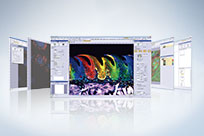 | Upgrading to a Windows 10 PC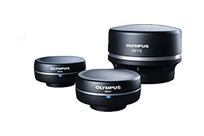 | |
Release Note
Version 4.4.1New Hardware Support
New Functions and Improvements
Version 4.3New function/improvement
Version 4.2.1New hardware support
New function/improvement
Version 4.2New hardware support
New function/improvement
Version 4.1.1New hardware support
Minor bug improvements
Version 4.1New hardware support
New function/improvement
Version 3.2New hardware support
New function/improvement
Version 2.3New hardware support
New function/improvement
Version 2.2New hardware support
New function/improvement
Version 2.1New hardware support
Product portfolio changes
New function/improvement
|