

IXplore IX85 Inverted Microscope
Optimize Your Workflow, Accelerate New DiscoveriesThe IXplore IX85’s automated acquisition features, customizable interfaces, and task management software help you work efficiently while staying confident in your results. |
Automated Spherical Aberration CorrectionThe automated correction collar automatically fine-tunes your objective settings and optimizes image quality by reducing spherical aberrations caused by variations in cover glass thickness.
| |
 Automated correction collar on the IXplore IX85 platform. | 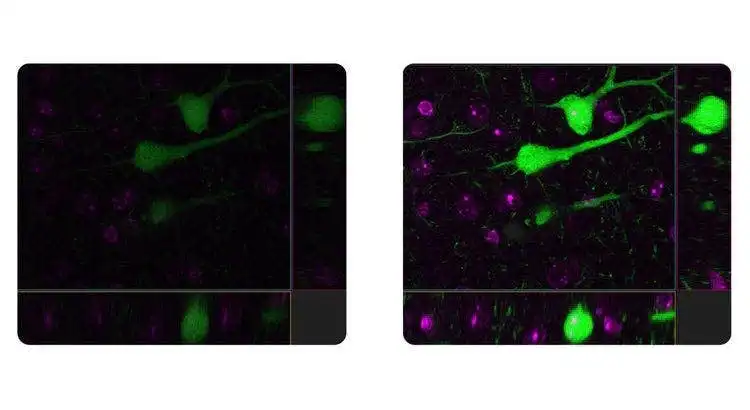 The automated correction collar automatically fine-tunes your objective settings and optimizes image quality. Left: Without auto correction collar. Right: With auto correction collar. |
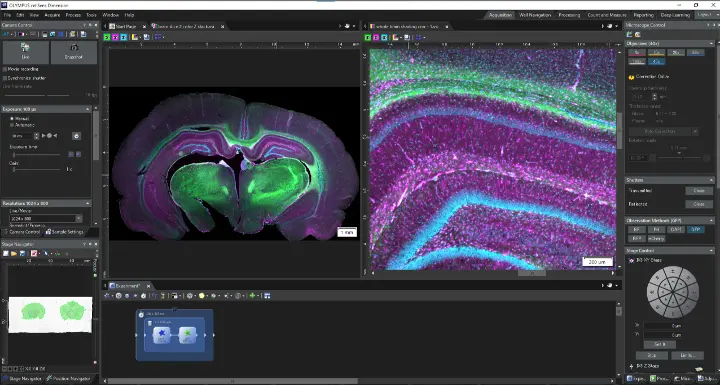
Real-Time Image Acquisition AnalysisFurther enhance productivity with real-time image processing and analysis. Advanced imaging tools support consistent, accurate results.
|  |
Your Live Cells in FocusThe IXplore IX85 platform offers enhanced rigidity to reduce the effects of vibration and temperature on your microscope. This facilitates reliable live-cell and time-lapse imaging by helping maintain the desired focus position on the Z-axis. Pair the IXplore IX85 with our TruFocus™ Z-drift compensator to capture cellular dynamics through high-precision, multipoint time-lapse images that are aligned and in focus. |
Close Monitoring of Cell Migration GrowthUse cellSens™ Object Tracking and Count and Measure solutions to analyze the movement and division of live cells in time-lapse or Z-stack image sets. Confluency Checker tools are a proven way for you to measure confluency on phase contrast images as well as fluorescence. | 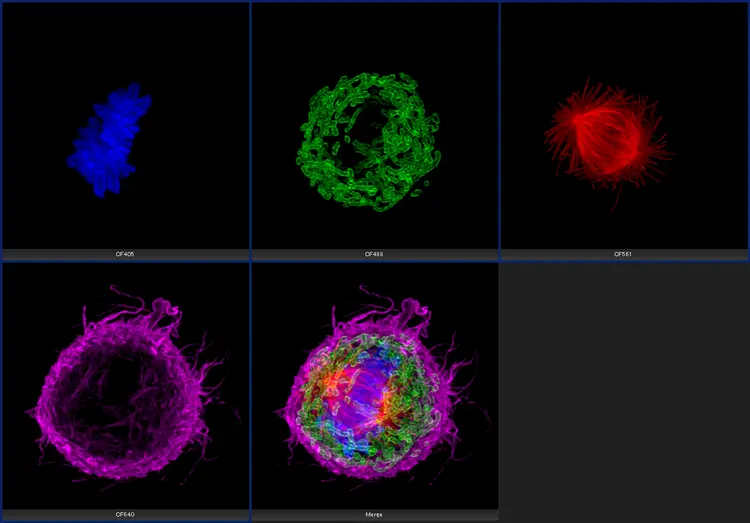 Cultured Cos 7 cell. |
 | Improve Experiment Efficiency with Advanced DeconvolutionWith cellSens Dimension software, you can use live 2D deblurring for preview and acquisition to enable exceptional focusing on thicker specimens.
|
Fully Automated EfficiencyThe Graphical Experimental Manager (GEM) of cellSens Dimension software enables fully automated multidimensional observation (X, Y, Z, T, wavelength, and positions) to make experiment setup even easier. | 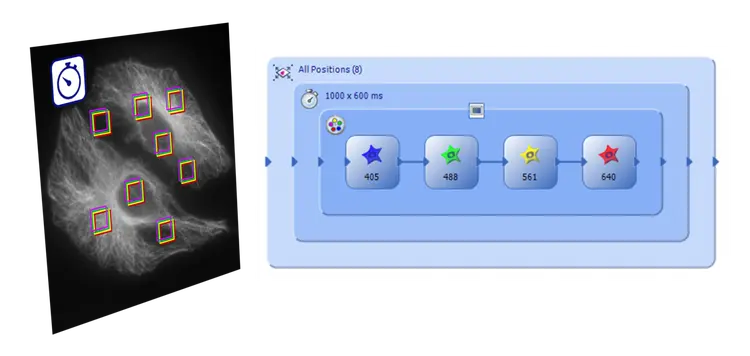 |
Need assistance? |
Sorry, this page is not
available in your country.